Blood pressure · Equipment literacy
Replacing a Blood Pressure Cuff: Verify the Monitor Model Before You Buy
A practical way to identify a monitor, check the manufacturer’s accessory list, separate compatibility from arm fit and validation, and prepare a clear question before ordering a replacement cuff.
AI assisted research, drafting and creation of the illustration. Listed public sources were checked. No clinician reviewed this article; Mr.Hotsia’s review is limited to sourcing and clarity, not clinical advice.
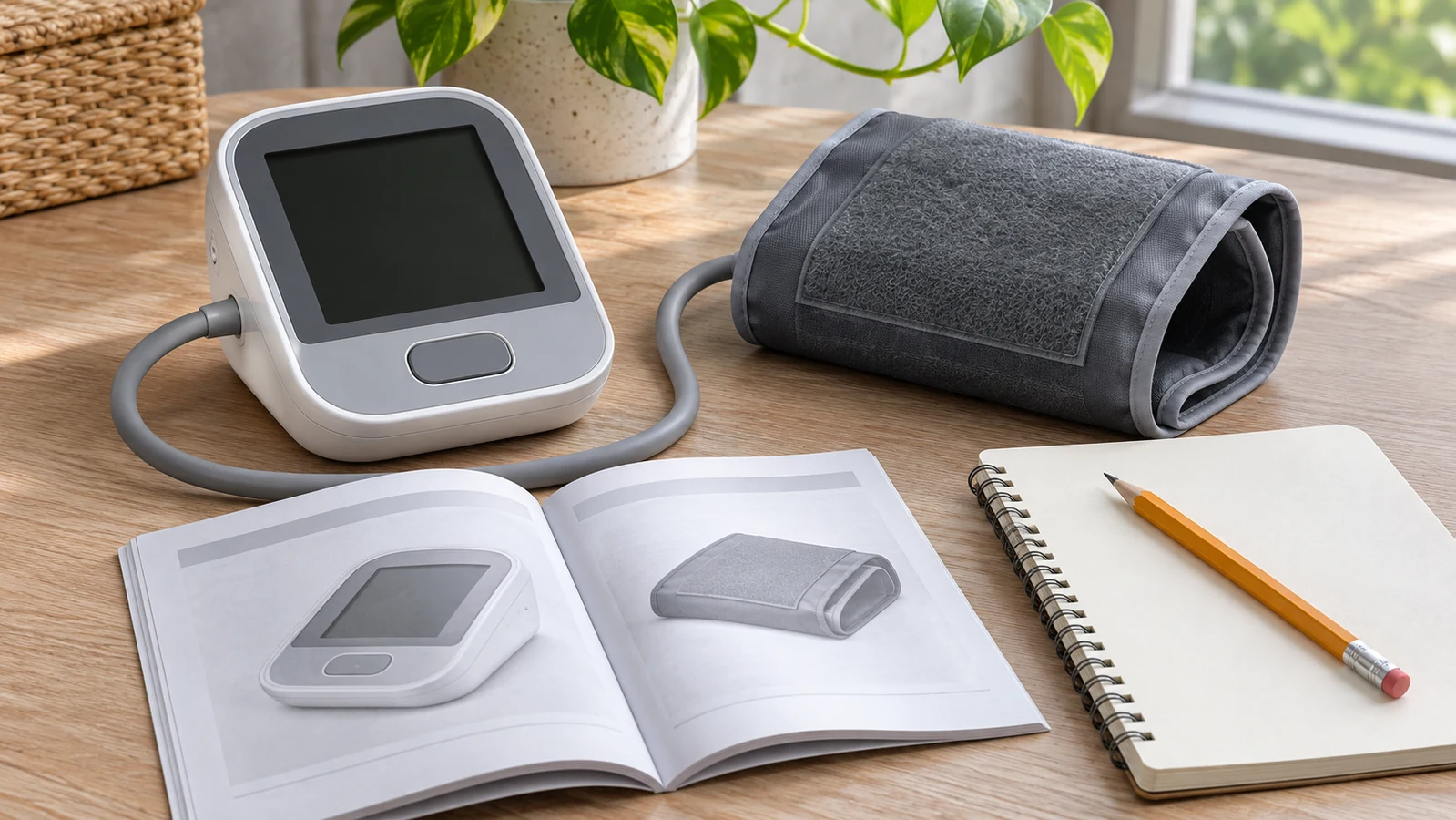
Treat replacement as a matching task
Replacing a worn or missing blood pressure cuff can look like ordinary accessory shopping. A photograph resembles the old cuff, the plug seems familiar, and the listing says universal. Those clues do not establish that the replacement belongs with your monitor. The useful question is more specific: does the manufacturer identify this cuff for this exact device, and is its stated arm range suitable? This article focuses on documenting and checking a replacement before purchase. It does not diagnose hypertension, interpret readings, provide repair instructions, or repeat a complete measurement tutorial. Personal equipment choices and clinical decisions may still need professional help.
Start with the monitor’s identity
Begin with the monitor rather than the shopping page. An original organizational suggestion is to copy its brand, full model code, and any regional suffix from the device label into a note. Keep the serial number separately if customer support requests it. A family name printed on the front may cover several versions, so avoid shortening the code to a number that merely looks close. If the label is unreadable, ask the manufacturer how to identify the unit before buying a part. A photograph of your own equipment can help explain the question without guessing what an unfamiliar abbreviation means.
Find the correct manufacturer document
Use the manufacturer’s official support page to locate the document for that model. For example, OMRON’s support site separates downloads by monitor model and lists cuffs as distinct accessories. That is a practical illustration of model-specific documentation, not a recommendation to buy that brand. Check whether the document describes your region and version, and keep its title or link with your note. If you find only a manual for a similar-looking device, do not silently treat it as equivalent. Ask support whether the instructions apply. This prevents a search result from becoming an unsupported assumption about your equipment.
Check the cuff’s own part number
Next identify the cuff itself. It can have a part number different from the monitor’s model code, alongside its circumference range and placement markings. An editorial checklist is to record those details in separate fields: monitor model, existing cuff code, proposed replacement code, and stated arm range. Leaving a field marked unknown is better than filling it with a guess. Do not assume that a number on a retailer’s stock label is the manufacturer’s accessory code. If the original cuff has been lost, start from the device manual or official accessory information rather than reconstructing the part from memory.
Use a compatibility list, not a similar photograph
Look for an explicit statement connecting the proposed cuff to the monitor. The OMRON Easy-Wrap ComFit product page, for instance, names particular compatible monitor models rather than saying that every device from the brand is suitable. This shows why the model list matters; it does not establish compatibility for a different accessory or another country’s version. A matching colour, familiar connector, or similar product photograph is not the same evidence. Save the relevant manufacturer page and the date you checked it. If your exact model is absent, ask for clarification rather than concluding either that it must fit or that the whole monitor must be replaced.
Keep compatibility separate from arm fit
Compatibility and arm fit answer different questions. Compatibility concerns the cuff-and-monitor combination; fit concerns whether the cuff’s specified range and instructions suit the person’s arm. The American Heart Association emphasizes choosing the correct cuff size and checking fit with a healthcare professional. Passing one check does not automatically pass the other. A cuff may be listed for a monitor yet be unsuitable for a particular arm, while a cuff that wraps comfortably may not be the right accessory. This article does not supply a universal circumference range. Use the specific product instructions and ask for help if the range or placement is unclear.
Understand what validation does and does not cover
Validation is another separate check. STRIDE BP explains that its device listings use reviewed validation evidence and defined rules for equivalent or identical devices. On its monitor list, entries can include population, intended setting, and validated cuff sizes. Read the exact entry rather than treating a brand name as a blanket endorsement of everything it sells. Likewise, do not extend a listed device’s evidence to an unlisted cuff-and-monitor combination on your own. If the model name differs slightly, use the listing’s explanation or ask a knowledgeable professional. Your own side-by-side shopping comparison is not a validation study.
Do not confuse authorization with a universal accessory claim
Regulatory status also has a specific scope. In its September 16, 2025 safety communication, the U.S. FDA warned about unauthorized devices claiming to measure or estimate blood pressure and advised choosing an appropriate authorized device. That is U.S. regulatory guidance, not a statement about every country’s approval system. It does not tell you that an arbitrary replacement cuff fits your monitor. Keep the questions separate: is the device appropriately authorized where relevant, what validation evidence applies, and which accessory does its manufacturer specify? A seller’s broad reassurance should not replace the documentation needed to answer those different questions.
Prepare one precise support question
A clear support message can reduce avoidable back-and-forth. An original example is: “My monitor label reads [full code and region]. The cuff I am considering is [part number]. Is this the manufacturer-specified replacement for that model, and where can I find its instructions and arm range?” Attach a photograph of the product label if needed, but avoid including health records or account passwords. Ask the retailer to identify the actual part being supplied, not merely whether it is popular. Keep the reply with the documentation so another household member does not have to repeat the same search later.
Resolve missing or conflicting information before ordering
If the retailer’s description and the manufacturer’s information disagree, pause the order and ask which statement is correct. An editorial approach is to make a short list of unresolved facts rather than buying several accessories to experiment with. Missing information does not prove a product is counterfeit, but it is a reason not to claim that suitability has been established. OMRON’s current support site also warns about counterfeit products and directs buyers toward reputable authorized sellers. That manufacturer warning should not be turned into an accusation against a particular shop without evidence. Concentrate on verifiable model and supplier information.
Do not turn an error into a repair experiment
An unfamiliar error symbol does not identify which component needs replacement. Read the meaning in the exact manual and follow its troubleshooting directions; ask the manufacturer or care team if the problem persists. Do not cut tubing, improvise adapters, or open the monitor to make a questionable accessory work. These are precautionary boundaries, not instructions for diagnosing a fault. Buying a new cuff also cannot prove that an unexpected blood pressure result was caused by the old one. If equipment is unreliable or unavailable, ask the care team how to continue the monitoring plan instead of substituting a guessed setup.
Plan a professional device check
The American Heart Association recommends taking a home monitor to an appointment so a healthcare professional can check its use and compare it with office equipment. It also advises periodic checks, including annually or as the company directs. When arranging that review, mention that a cuff has been replaced and bring the monitor, cuff, and relevant instructions. Ask what follow-up is appropriate for your device rather than requesting a promise that every future reading will match. A professional comparison is not a licence to calculate a personal correction factor or to adjust medicine yourself when two readings differ.
Keep a small equipment record
A small equipment record can make future questions easier. An original template would hold the monitor code, cuff code, manufacturer-document link, date of a replacement, and any device-check advice received. This is an organizational aid, not a medical record format required by a guideline. Keep it separate from the readings if that makes it easier to find, and share only the information relevant to the question. If another person helps you measure, show them which cuff belongs to which monitor rather than relying on colour. The purpose is traceability, not collecting more personal information than you need.
Separate a commercial guide from equipment evidence
The optional commercial resource associated with this article is Christian Goodman’s The Blood Pressure Program, a breathing and relaxation guide listed in this library. It is not a replacement cuff, a validated-device register, a repair service, or evidence that a monitor is accurate. Its sales links are separate from the equipment sources. This article does not establish that the programme treats hypertension or makes prescribed care unnecessary. A purchase, refund policy, or favourable reading cannot demonstrate that it is suitable treatment for an individual. Keep a decision about optional reading separate from decisions about monitoring equipment and medical care.
Use the same checks when the parcel arrives
When a replacement arrives, compare the supplied part code and instructions with what was confirmed before using it. Ask the supplier or manufacturer about a mismatch rather than assuming that an undocumented substitution is equivalent. Follow the actual manual for setup, cleaning, storage, and troubleshooting; this article does not prescribe one cleaning chemical or washing method for every cuff. Continue clinical follow-up and do not change prescribed treatment because of an accessory purchase or home result. If a situation feels urgent, seek appropriate local medical help rather than delaying for equipment shopping. The central principle is simple: verify the combination, document the answer, and avoid improvisation.
Sources and further reading
Medical information was checked against these public health sources on November 27, 2026.
- American Heart Association — Home Blood Pressure Monitoring ↗
- STRIDE BP — Validated blood pressure monitors ↗
- STRIDE BP — Principles for device listing ↗
- U.S. FDA — Do Not Use Unauthorized Devices for Measuring Blood Pressure ↗
- OMRON — Easy-Wrap ComFit cuff: example of an explicit compatibility list ↗
- OMRON — Product support and model-specific downloads ↗
A practical guide for readers interested in CirculationA guide to Circulation

The Blood Pressure Program
By Christian Goodman
Guided breathing and relaxation techniques designed to encourage calmer daily rhythms.
- Topic: Circulation
- Author: Christian Goodman
- Format: digital guide
 Trusted & secure checkout
This article contains affiliate links. We may earn a commission if you purchase through them, at no extra cost to you.
This article is general health education, not a diagnosis or personal medical advice. Do not change treatment or supplements based on this article. Discuss individual results with a qualified healthcare professional.